PDF editor for Android

Edit, sign and organize PDFs. Right on your phone.

A complete PDF editor that never goes online. Fill in forms, sign, white out, merge, split and compress, with your files staying on your device the whole time.

Get it on Google Play Free · Android 8.0 or newer
Everything you need, nothing you don't

Three tools, done properly.

It focuses on what people actually need from a PDF editor on their phone, and does it carefully.

Merge & organize

Put a document together from PDFs and photos, in any order.

  • Combine PDFs with JPG, PNG and HEIC photos. Photos become clean pages.
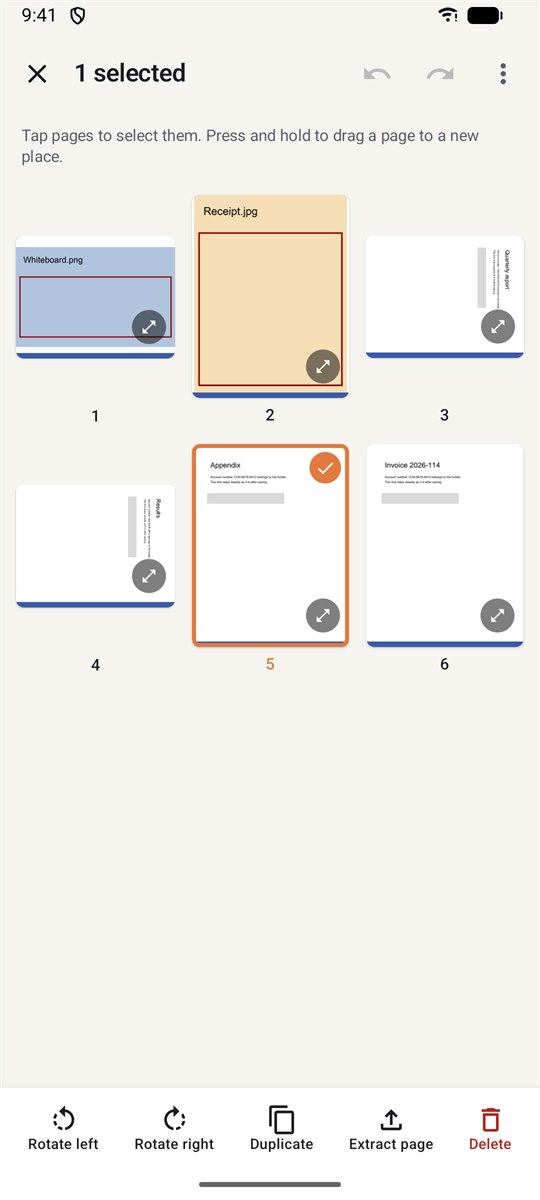
  • Drag pages into order, rotate, duplicate or delete them, with undo.
  • Split by page ranges, every few pages, or one file per page.
  • Pages are copied, not re-rendered, so text stays sharp and selectable.
Merge and organize screen: a grid of pages from several files, one page selected, with rotate, duplicate, extract and delete actions

Fill & sign

Complete a form, sign it and send it, all in a couple of minutes.

  • Type into forms: text lines up with the boxes for you.
  • Sign with your saved signature, add initials, ✓, ✗ or today's date.
  • Fix a typo in the document's own text. The old words are removed, not covered.
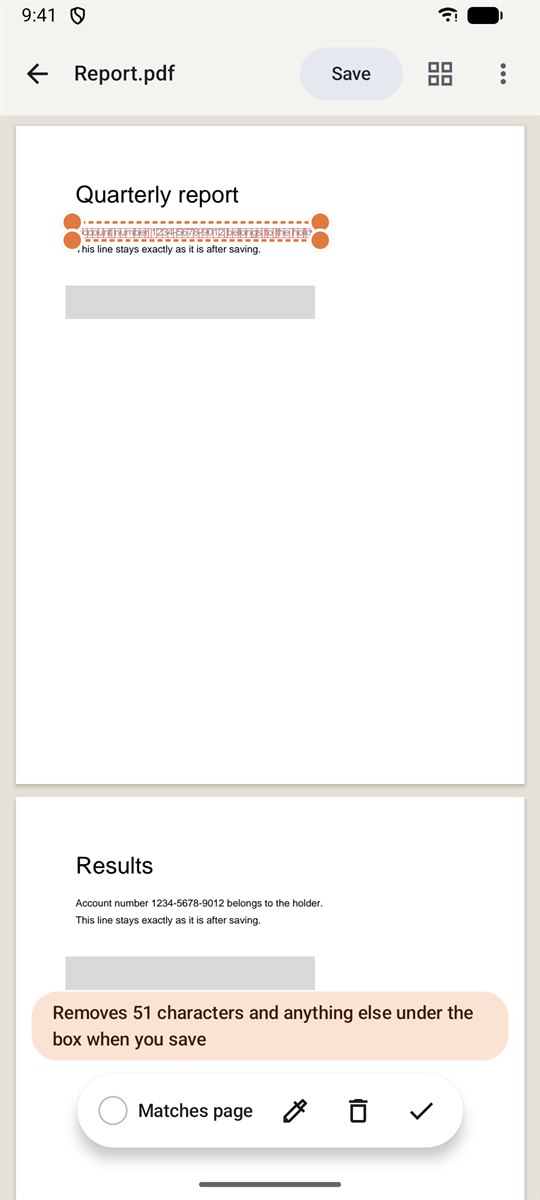
  • Whiteout that really deletes what's underneath, and shows you exactly what will go before you save.
Whiteout in progress: a box over an account number, with the characters to be removed outlined and a note saying 51 characters will be removed

Compress

Make a PDF small enough to email or upload, without making it ugly.

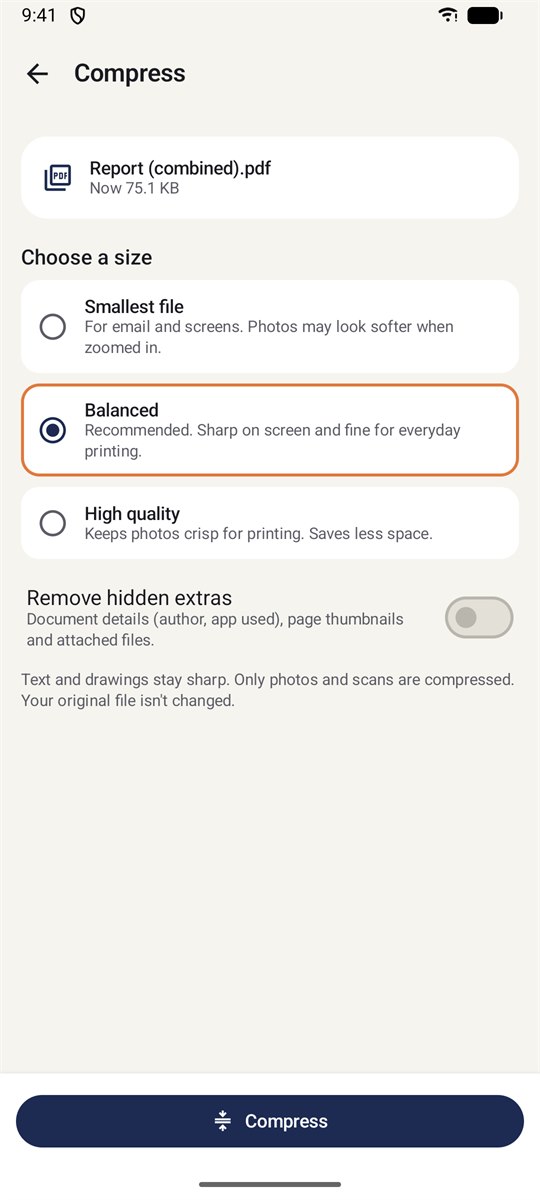
  • Choose Smallest, Balanced or High quality.
  • Only oversized photos and scans are shrunk; text and drawings stay crisp.
  • See the before and after size. A file that wouldn't get smaller is never saved.
  • Your original file is never changed.
Compress screen with Smallest file, Balanced and High quality options
Privacy

Private by design, not by promise.

The app doesn't ask Android for the Internet permission, so it simply can't send your documents anywhere. You can check this yourself.

Files stay on your phone

Documents are opened, edited and saved on your device. Nothing is uploaded.

Nothing collected

No accounts, analytics, crash reporting or ad trackers.

Kept out of backups

Recent files, saved signatures and drafts live in the app's private storage and are excluded from cloud backup.

Originals untouched

Edits are saved as a new copy unless you choose to overwrite the original.

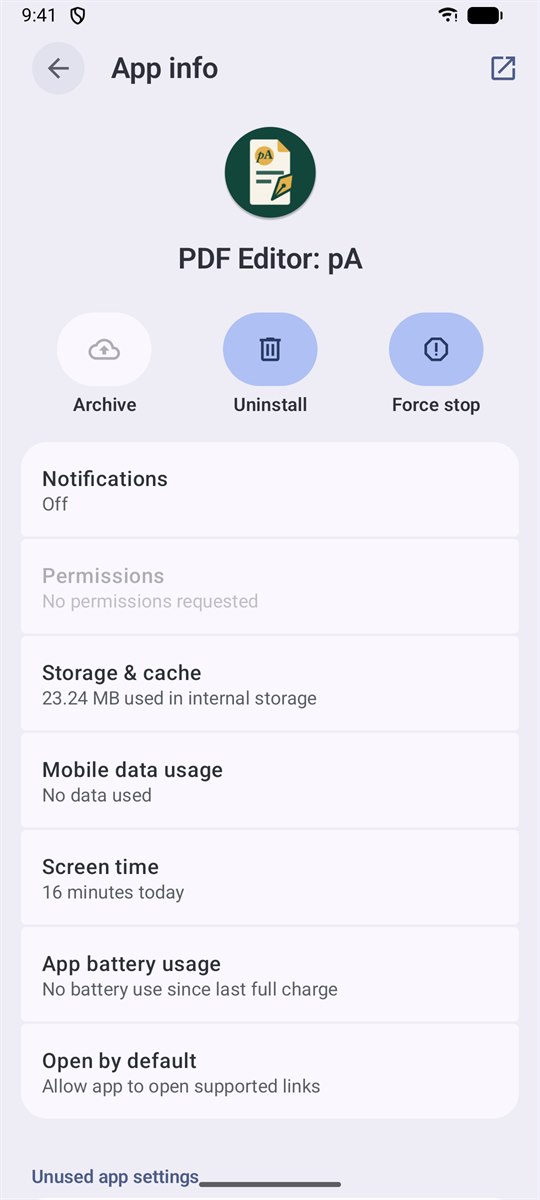
Check it yourself: Settings › Apps › PDF Editor: pA › Permissions shows “No permissions requested.” Read the full privacy policy.

Android app info for PDF Editor: pA showing No permissions requested and No data used
Perpetual Apps

Install it, and it's yours to keep.

The app is free and works entirely offline: no server to shut down, no account to expire, nothing to renew.

Free to download No ads No in-app purchases No subscription Works offline

Questions

Is it really free?

Yes. The app is free to download and has no ads, no in-app purchases and no subscription.

Does it need an internet connection?

No. Everything happens on your phone. The app doesn't even have permission to go online.

Does whiteout really remove the text?

Yes. When you save, text, image pixels and drawings under the box are deleted from the file, not just covered. Before saving, the app outlines exactly which characters will go. For sensitive documents, open the saved copy and check it before you share it.

Are signatures legally binding?

Signatures and initials are pictures of your handwriting placed on the page. They aren't certificate-based digital signatures, and the app doesn't verify who signed. Whether a signed PDF is accepted depends on who you send it to.

What happens to form fields when I save?

Saving flattens form fields and comments into the page, so the PDF looks the same in every app. The saved copy can't be filled in again as a form. Your original file is kept.

Can it open password-protected PDFs?

Not yet. The app tells you clearly when a file is password-protected.

Which phones does it run on?

Android 8.0 or newer. Adding HEIC photos needs Android 9 or newer.